Unit Plan 36 (Grade 8 Science): Cumulative Synthesis & Exhibition
Grade 8 science exhibition where students showcase mastery of matter, forces, energy, waves, and engineering design through models, data, prototypes, and clear explanations.

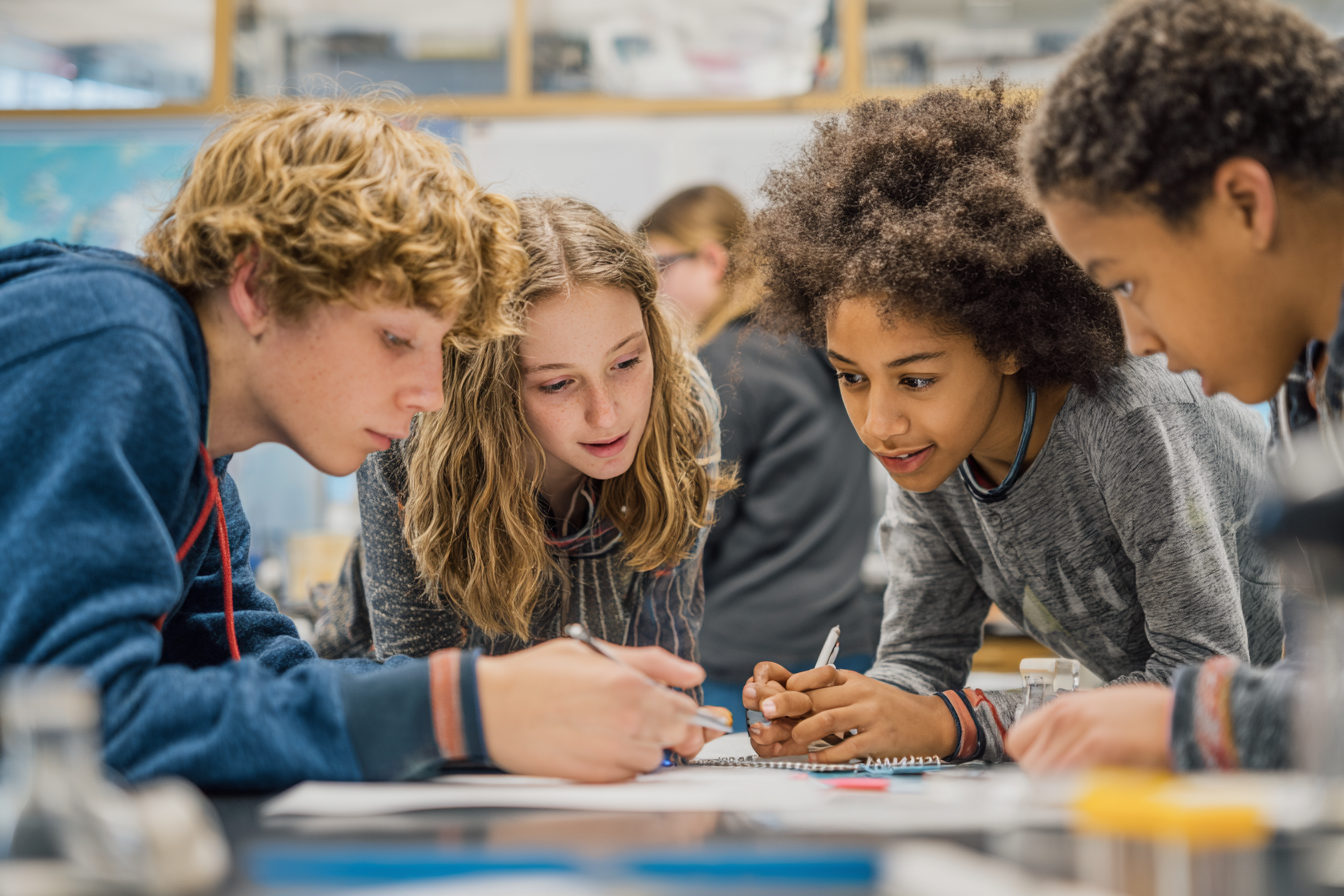
Focus: Show what you know in a culminating exhibition that brings together chemical models, force diagrams, energy systems, wave devices, and engineering design from across the year’s learning. Students curate and present evidence of understanding from matter & interactions (MS-PS1), forces & motion (MS-PS2), energy (MS-PS3), waves & information (MS-PS4), and engineering design (MS-ETS1).
Grade Level: 8
Subject Area: Science (Physical Science • Engineering Design)
Total Unit Duration: 5 sessions (one week), 50–60 minutes per session
I. Introduction
In this final unit, students step into the role of scientist–engineers curating a Cumulative Synthesis & Exhibition. They revisit major units on chemical reactions and particle models, forces and motion, energy transfer and systems, and waves and communication, as well as their engineering design projects. Working in teams, students design interactive stations that showcase key models (e.g., particle diagrams, force diagrams, energy flow diagrams, wave models, prototypes) and explain how these ideas solve or describe real-world problems. The week ends with an exhibition where students present to peers, staff, and/or families.
Essential Questions
- How do the core ideas of matter, forces, energy, waves, and engineering design connect across different phenomena and technologies?
- How can we use models, diagrams, data, and explanations to clearly communicate what we understand about the physical world?
- In what ways do engineering design practices (defining problems, modeling, testing, improving) help us apply science to real-world challenges?
- What evidence shows that we are ready for high school science—and how can we demonstrate that evidence to an audience?
II. Objectives and Standards
Learning Objectives — Students will be able to:
- Identify and explain key ideas from MS-PS1, MS-PS2, MS-PS3, MS-PS4, and MS-ETS1, using concrete examples from the year’s labs, models, and projects.
- Select and refine representations—such as chemical models, force diagrams, energy system diagrams, wave models, and engineering design artifacts—to show how they used scientific concepts to explain phenomena or solve problems.
- Organize evidence (models, data tables, graphs, prototypes) into coherent storylines that connect question → investigation/model → evidence → conclusion.
- Collaborate to design an exhibition station that includes at least two different models or diagrams plus a verbal/visual explanation that a non-expert can understand.
- Reflect on their growth as scientists and engineers, identifying strengths and areas for further development.
Standards Alignment — 8th Grade (NGSS-based custom, cumulative spiral)
- MS-PS1 (Matter & Its Interactions) — Chemical reactions, particle models, conservation of mass, synthetic materials.
- MS-PS2 (Forces & Interactions) — Newton’s laws, gravitational and electric forces, magnetic interactions.
- MS-PS3 (Energy) — Kinetic and potential energy, energy transfer, thermal energy, energy in systems.
- MS-PS4 (Waves & Information) — Wave properties, energy transfer via waves, digital communication.
- MS-ETS1 (Engineering Design) — Criteria and constraints, evaluating and improving solutions, modeling and iterative testing.
Success Criteria — Student Language
- I can choose and explain a few strong examples of my work that show my understanding of matter, forces, energy, waves, and design.
- I can use models and diagrams (particle pictures, force arrows, energy bar charts, wave graphs, design sketches) to support my explanations.
- I can describe how my evidence and models connect to the big ideas from our standards across the year.
- I can present my ideas clearly to an audience using visuals, data, and clear language.
- I can reflect on what I have learned and improved in science this year and what I want to keep working on.
III. Materials and Resources
Tasks & Tools (teacher acquires/curates)
- Student work archives:
- Lab notebooks, digital work, assessments, project reports, and models from units on MS-PS1–4 and MS-ETS1.
- Sample artifacts: particle diagrams, balanced chemical equations, reaction evidence tables, force diagrams, motion graphs, energy transfer diagrams, wave graphs, communication devices, thermal design prototypes, engineering design portfolios.
- Exhibition materials:
- Poster paper, tri-fold boards, markers, sticky notes, index cards.
- Access to laptops/tablets (if available) for digital slides or simulations.
- Table space or desks for exhibition stations.
- Organizers & planning tools:
- “Exhibition Station Planner” templates (sections for focus concept, artifacts, models, explanation, roles).
- “Evidence Mapping” organizers to connect artifacts to standards (MS-PS1–4, MS-ETS1).
- Reflection sheets for individual goals and self-assessment.
- Display and feedback tools:
- Gallery walk feedback slips using TAG (Tell–Ask–Give).
- Checklists or rubrics for exhibition stations and presentations.
Preparation
- Gather or guide students to gather key artifacts from each major unit; consider creating unit bins or digital folders labeled “Matter,” “Forces,” “Energy,” “Waves,” “Engineering Design.”
- Decide on exhibition format (in-class rotation, invited guests, multi-class event).
- Prepare station examples (e.g., a mini-poster that combines a particle model, a reaction graph, and a conservation-of-mass explanation).
- Create anchor charts:
- “What Makes a Strong Exhibition Station?” (clear focus, evidence, visuals, explanations, interaction).
- “Ways to Show Understanding” (models, diagrams, graphs, explanations, demonstrations, prototypes).
Common Misconceptions to Surface
- “Science units are separate and don’t connect.” → The year’s work fits together around core ideas and practices (modeling, data, explanation, design).
- “If I did poorly earlier, I can’t show growth.” → Exhibitions can highlight improvement, corrections, and new understanding.
- “The more stuff I put on the poster, the better.” → Effective communication requires clear, organized, and explained evidence, not just quantity.
- “Models are just drawings.” → Models are tools for thinking and explaining; they must connect to evidence and concepts.
Key Terms (highlight in lessons) model, diagram, force, net force, energy transfer, system, wave, amplitude, wavelength, chemical reaction, conservation of mass, digital signal, criteria, constraints, prototype, evidence, explanation, engineering design
IV. Lesson Procedure
(Each day follows: Launch → Explore → Discuss → Reflect. Timing for a 50–60 minute block.)
Session 1 — Year in Review: Sorting Evidence & Big Ideas (Spiral across PS1–4, ETS1)
- Launch (6–8 min)
- Show a simple timeline or concept map of the year: Matter → Forces → Energy → Waves → Engineering Design. Ask:
- “What do you remember most clearly from each unit?”
- “Where did you feel yourself grow as a scientist or engineer?”
- Show a simple timeline or concept map of the year: Matter → Forces → Energy → Waves → Engineering Design. Ask:
- Explore (22–25 min)
- Students receive unit bins/folders or access to digital work. In small groups, they sort artifacts into four baskets:
- Matter & Reactions (MS-PS1)
- Forces & Motion (MS-PS2)
- Energy & Systems (MS-PS3)
- Waves & Communication (MS-PS4), plus Engineering Design (MS-ETS1)
- Using an Evidence Mapping organizer, students select 2–3 strong artifacts for each domain and jot:
- What concept does this show?
- What model/diagram or data does it include?
- How does it connect to the standard(s)?
- Students receive unit bins/folders or access to digital work. In small groups, they sort artifacts into four baskets:
- Discuss (10–12 min)
- Whole-class: for each domain, share one example artifact and how it shows understanding (e.g., chemical reaction model showing rearranged atoms, force diagram explaining motion).
- Teacher highlights how same practices (modeling, data, explanation, design) show up in each domain.
- Reflect (5 min)
- Exit slip: “One piece of work I’m proud of is ___ because it shows I understand ___.”
Session 2 — Designing Exhibition Stations (Planning & Modeling)
- Launch (5–7 min)
- Show a sample Exhibition Station (real or teacher-created) that combines, for example, a chemical reaction model and an energy transfer diagram with a short explanation. Ask:
- “What makes this station easy (or hard) to understand?”
- Show a sample Exhibition Station (real or teacher-created) that combines, for example, a chemical reaction model and an energy transfer diagram with a short explanation. Ask:
- Explore (25–30 min)
- Students form exhibition teams (2–4 students). Each team chooses a station focus such as:
- Chemical Models & Conservation of Mass (MS-PS1).
- Forces & Motion Storyboards (MS-PS2).
- Energy Systems & Thermal Devices (MS-PS3, MS-ETS1).
- Waves & Communication Systems (MS-PS4, MS-ETS1).
- Integrated Engineering Project (combining multiple domains).
- Using the Exhibition Station Planner, teams:
- Identify 2–3 key concepts they will showcase.
- Choose models/diagrams (particle diagrams, force diagrams, energy bar charts, wave graphs, design sketches, data tables).
- Draft a station layout (where models, data, explanations will go).
- Assign roles (lead presenter, model explainer, data specialist, welcome guide).
- Students form exhibition teams (2–4 students). Each team chooses a station focus such as:
- Discuss (10–12 min)
- Quick share-out: each team states their station title and core ideas, and teacher checks that across teams there is coverage of MS-PS1–4 and MS-ETS1.
- Reflect (5 min)
- Quick write: “Our station will be called ___. It will help visitors understand ___ by showing ___.”
Session 3 — Building Visuals & Rehearsing Explanations (Models & Communication)
- Launch (5–7 min)
- Mini-lesson: “Strong explanations connect models + evidence + concept words.” Show a short example:
- Model: particle diagram before/after reaction.
- Evidence: mass measurements from lab.
- Concept: conservation of mass.
- Full explanation: how atoms rearrange but total mass stays the same.
- Mini-lesson: “Strong explanations connect models + evidence + concept words.” Show a short example:
- Explore (25–30 min)
- Teams build their station visuals:
- Complete and refine chemical models, force diagrams, energy systems diagrams, wave diagrams, and/or design sketches.
- Add captions that explain what each model shows and which standard or concept it connects to.
- Prepare data displays (tables/graphs) from earlier investigations or design tests.
- Teams practice a 2–3 minute verbal explanation that:
- Introduces the station focus.
- Walks through at least two models or diagrams.
- Explains one real-world connection (e.g., why energy conservation matters in devices, why digital waves matter for communication).
- Teams build their station visuals:
- Discuss (10–12 min)
- “Fishbowl” practice: a few teams present to the class while others use TAG feedback to comment on clarity, use of models, and concept vocabulary.
- Reflect (5 min)
- Exit slip: “One change we need to make before the exhibition is ___ so that our visitors will better understand ___.”
Session 4 — Exhibition Day (Presenting & Peer Feedback)
- Launch (5–7 min)
- Review expectations for exhibiting: greeting visitors, taking turns talking, answering questions, and being positive and professional.
- Explore (30–35 min)
- Exhibition time:
- Set up stations around the room (or shared space).
- Depending on logistics, half the class presents while half rotates as visitors, then switch.
- Visitors use feedback slips to leave TAG comments at each station.
- Option: invite other classes, administrators, or families to visit.
- Exhibition time:
- Discuss (8–10 min)
- After the exhibition, teams quickly review feedback and highlight 2 compliments and 1 suggestion they received.
- Whole-class: discuss what went well and what could improve about the communication of science.
- Reflect (3–5 min)
- Quick reflection: “The best question a visitor asked us was ___. It showed that they were thinking about ___.”
Session 5 — Individual Reflection & Synthesis (Looking Back & Forward)
- Launch (5–7 min)
- Write on the board:
- “This year in science, I learned that…”
- “As a scientist/engineer, my biggest growth is…”
- Ask students to think silently, then share a few ideas.
- Write on the board:
- Explore (25–30 min)
- Students complete a Cumulative Reflection that includes:
- Part 1 – Concept Synthesis:
- Choose one example from each domain (matter, forces, energy, waves, engineering) and briefly summarize what they understand now.
- Part 2 – Practices & Skills:
- Reflect on how they improved in modeling, analyzing data, constructing explanations, and designing solutions.
- Part 3 – Exhibition Takeaways:
- What went well at their station? What would they improve if they had another chance?
- Part 4 – Looking Ahead:
- One goal for high school science and one strategy they will carry forward (e.g., “always sketch a model,” “check data patterns carefully”).
- Part 1 – Concept Synthesis:
- Option: Students write a short “Letter to Future Me in Science” summarizing their learning and goals.
- Students complete a Cumulative Reflection that includes:
- Discuss (10–12 min)
- Voluntary share-out: students read a line from their reflection that sums up their growth.
- Teacher highlights key themes (confidence, persistence, connection-making) and celebrates the completed year.
- Reflect (5 min)
- Final exit slip: “I feel ready for high school science because I can now ___.”
V. Differentiation and Accommodations
Advanced Learners
- Encourage them to:
- Integrate multiple domains at their station (e.g., show how forces, energy, and waves all appear in a single technology).
- Add mathematical representations (graphs, proportional relationships) to deepen explanations.
- Connect their station to real-world careers or current technologies in more depth.
Targeted Support
- Provide sample models and sentence frames for station captions and explanations:
- “This model shows ___ because ___.”
- “Our data support the idea that ___ by showing ___.”
- “In the real world, this concept is important for ___.”
- Allow students to focus on fewer, clearer artifacts rather than many.
- Offer checklists for station components (title, models, data, explanation, real-world connection).
Multilingual Learners
- Provide a visual glossary and allow bilingual labels (home language + English) on posters if appropriate.
- Encourage diagram-heavy displays with short, practiced oral explanations.
- Pair EL students with supportive peers who can help rehearse explanations and clarify vocabulary.
- Allow rehearsal in students’ home languages before presenting in English.
IEP/504 & Accessibility
- Break tasks into small steps with clear daily goals and supports (e.g., “Today: choose artifacts; Tomorrow: draft one diagram and caption”).
- Allow alternative presentation formats (e.g., recorded video or audio paired with visuals).
- Provide assistive tech or adapted materials (e.g., larger print graphs, simplified organizers).
- Reduce the number of required artifacts while maintaining focus on concept accuracy and clarity.
VI. Assessment and Evaluation
Formative Checks (daily)
- Session 1 — Evidence Mapping organizers show students can connect artifacts to core ideas and standards.
- Session 2 — Station planners show clear focus concepts, selected models, and an outline for how they will communicate.
- Session 3 — Draft visuals and practiced explanations show use of models, evidence, and concept vocabulary.
- Session 4 — Observation and visitor feedback show how well students present and respond to questions.
- Session 5 — Individual reflections show students can articulate growth and connections across domains.
Summative — Cumulative Synthesis & Exhibition (0–2 per criterion, total 10)
- Concept Coverage & Accuracy (PS1–4, ETS1)
- 2: Station clearly and accurately represents at least two domains (e.g., matter + energy, forces + waves, energy + engineering) with correct scientific ideas.
- 1: Station touches on multiple domains but with some inaccuracies or incomplete explanations.
- 0: Concepts are mostly incorrect or too vague to evaluate.
- Use of Models & Representations
- 2: Includes multiple models/diagrams (e.g., particle models, force diagrams, energy diagrams, wave graphs, design sketches) that are labeled and used in explanations.
- 1: Includes some visuals but they are under-labeled or not clearly connected to explanations.
- 0: Minimal or no meaningful models/diagrams.
- Evidence & Explanation
- 2: Uses data and/or specific examples from the year (labs, projects) to support explanations; clearly connects evidence to claims.
- 1: Mentions some evidence but connections to claims are weak or general.
- 0: Little or no evidence used; mostly opinion or description.
- Organization & Communication
- 2: Station is organized, visually clear, and presenters explain ideas in a way visitors can understand; uses key terms correctly.
- 1: Mostly understandable but with some organization or vocabulary issues.
- 0: Hard to follow; visitors struggle to understand the main ideas.
- Reflection & Growth
- 2: Individual reflection shows thoughtful consideration of learning across the year, including strengths, challenges, and specific future goals.
- 1: Reflection is present but vague or mostly about feelings rather than specific learning.
- 0: Minimal or no reflection.
Feedback Protocol (TAG)
- Tell one strength (e.g., “Your energy diagram really helped me see how energy moved through your system.”).
- Ask one question (e.g., “Can you explain more about why the mass stayed the same before and after your reaction?”).
- Give one suggestion (e.g., “Add labels to your wave graph so visitors know where amplitude and wavelength are.”).
VII. Reflection and Extension
Reflection Prompts
- Which model or diagram from your station best represents your understanding this year, and why?
- How did preparing for the exhibition change the way you see your old work and mistakes?
- Which NGSS practice (modeling, data analysis, explanation, design) do you feel most confident in now? Which one do you want to continue to grow in?
Extensions
- Portfolio Compilation: Turn your exhibition artifacts and reflection into a digital or physical science portfolio to share with high school teachers or families.
- “Teach the Younger Grades” Project: Adapt one station into a simpler version to present to younger students, focusing on clear models and demonstrations.
- Community Science Night: Expand the exhibition into a school or community event, adding more stations or inviting other classes to contribute science and engineering displays.
Standards Trace — When Each Standard Is Addressed
- MS-PS1 (Matter & Its Interactions) —
- Sessions 1–3, 4 (revisiting chemical models, reactions, particle diagrams, and conservation of mass in station artifacts).
- MS-PS2 (Forces & Interactions) —
- Sessions 1–3, 4 (force diagrams, motion graphs, collision/impact models in stations).
- MS-PS3 (Energy) —
- Sessions 1–3, 4 (energy bar charts, system diagrams, thermal/kinetic/potential energy models).
- MS-PS4 (Waves & Information) —
- Sessions 1–3, 4 (wave models, communication devices, digital vs. analog explanations).
- MS-ETS1 (Engineering Design) —
- Sessions 1–4 (drawing on design projects, showing criteria/constraints, prototypes, and design iterations in stations).
- Session 5 (reflecting on the design process and engineering growth across the year).